Adds label support to contact import and export so teams can carry
approved contact labels through CSV workflows. Imports accept a `labels`
column with labels that already exist in the account; multiple labels
should be entered as a quoted comma-separated CSV value, for example
`"customer,vip"`.
Imports are additive: they add labels to contacts and do not remove
labels already on a contact. Removing a label from the CSV row or
leaving the `labels` cell blank will not clear existing contact labels.
To remove a label, edit the contact directly.
## Closes
- Closes#8535
## How to test
1. Create a few contact labels in the account, such as `customer`,
`vip`, and `lead`.
2. Go to Contacts -> Import contacts and download the sample CSV.
3. Import contacts with a `labels` column. Use a single label like
`lead`, or quote multiple labels like `"customer,vip"`.
4. Confirm imported contacts are created with the expected labels.
5. Re-import an existing contact with a new label and confirm the new
label is added without removing existing labels.
6. Try a row with an unknown label, such as `"vip,unknown_label"`, and
confirm only that row is rejected in the failed records CSV while the
other valid rows are imported.
7. Export contacts and confirm the CSV includes a `labels` column with
comma-separated approved labels.
## What changed
- Contact exports include approved `labels` in the default CSV columns.
This adds a new default export column for CSV consumers.
- Contact imports parse `labels` as comma-separated values inside the
CSV cell.
- Imported labels are validated against labels that already exist in the
account.
- Rows with unknown labels are rejected with an `Unknown labels: ...`
error; valid rows in the same import continue to process.
- Imported labels are additive and do not remove existing contact
labels.
- Label application during import does not dispatch an additional
per-contact update event.
- The sample CSV includes an import-safe `labels` column. The modal
keeps the existing generic CSV import copy.
---------
Co-authored-by: Sojan Jose <sojan@pepalo.com>
## Description

Spreadsheet applications such as Microsoft Excel do not auto-detect
UTF-8 encoding when opening CSV files. This causes non-ASCII characters
(Arabic, Japanese, Chinese, Korean, etc.) to appear garbled in the
exported contacts CSV.

This PR prepends the UTF-8 Byte Order Mark (`EF BB BF`) to the CSV
output in `Account::ContactsExportJob`, which signals to spreadsheet
applications that the file is UTF-8 encoded.

Fixes: #13998
## Account branding enrichment during signup

This PR does the following

### Replace Firecrawl with Context.dev

Switches the enterprise brand lookup from Firecrawl to Context.dev for
better data quality, built-in caching, and automatic filtering of
free/disposable email providers. The service interface changes from URL
to email input to match Context.dev's email endpoint. OSS still falls
back to basic HTML scraping with a normalized output shape across both
paths.

The enterprise path intentionally does not fall back to HTML scraping on
failure — speed matters more than completeness. We want the user on the
editable onboarding form fast, and a slow fallback scrape is worse than
letting them fill it in.

Requires `CONTEXT_DEV_API_KEY` in Super Admin → App Config. Without it,
falls back to OSS HTML scraping.

### Add job to enrich account details

After account creation, `Account::BrandingEnrichmentJob` looks up the
signup email and pre-fills the account name, colors, logos, social
links, and industry into `custom_attributes['brand_info']`.

The job signals completion via a short-lived Redis key (30s TTL) + an
ActionCable broadcast (`account.enrichment_completed`). The Redis key
lets the frontend distinguish "still running" from "finished with no
results."
### Summary

- Converts conversation auto-resolution duration from days to minutes
for more
granular control
- Updates validation to allow values from 10 minutes (minimum) to 999
days (maximum)
- Implements smart messaging to show appropriate time units in activity
messages

###  Changes

- Created migration to convert existing durations from days to minutes
(x1440)
- Updated conversation resolver to use minutes instead of days
- Added dynamic translation key selection based on duration value
- Updated related specs and documentation
- Added support for displaying durations in days, hours, or minutes
based on value

###  Test plan

- Verify account validation accepts new minute-based ranges
- Confirm existing account settings are correctly migrated
- Test auto-resolution works properly with minute values
- Ensure proper time unit display in activity messages

---------

Co-authored-by: Sivin Varghese <64252451+iamsivin@users.noreply.github.com>
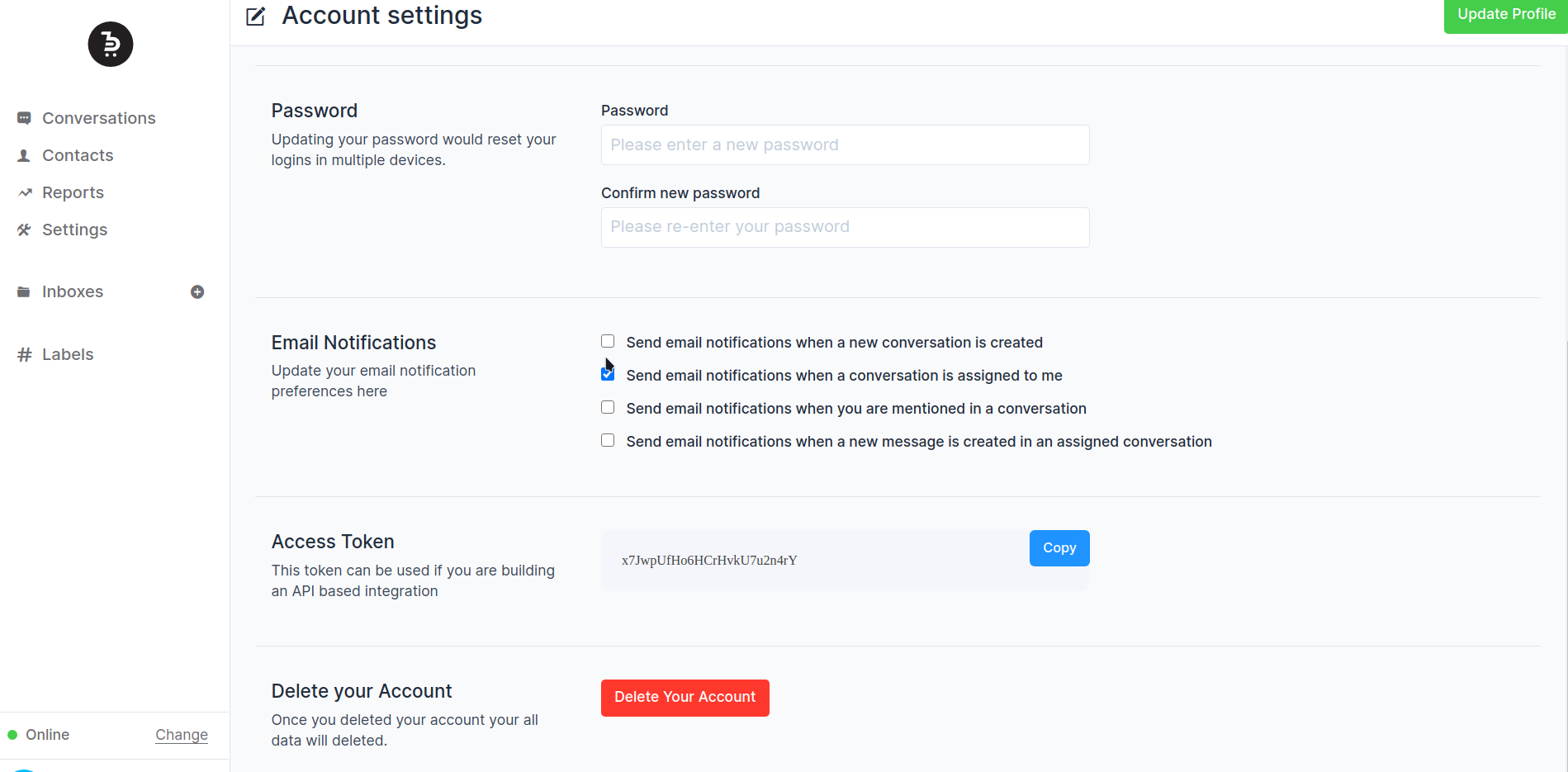
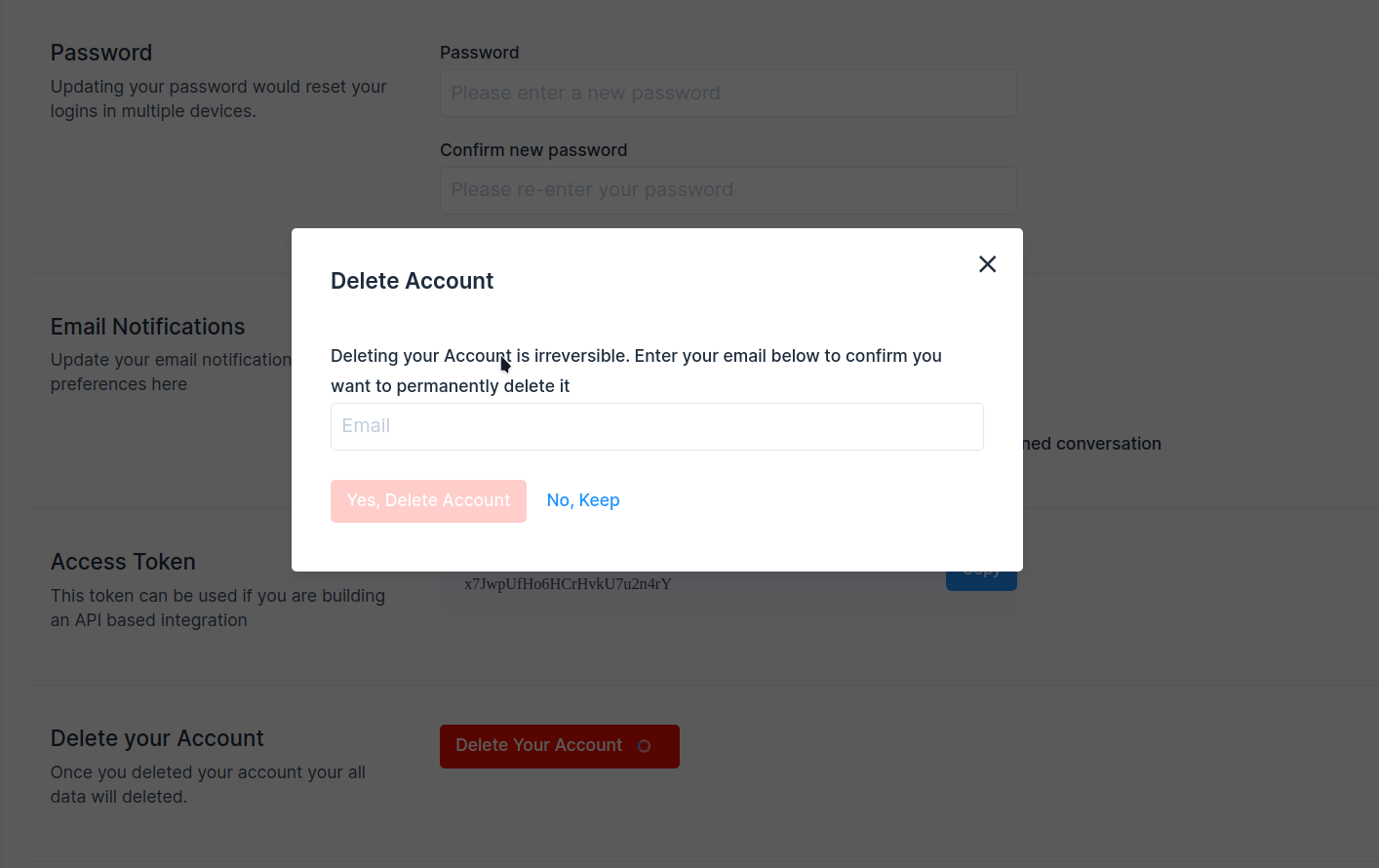
## Description
Add account delete option in the user account settings.
Fixes#1555
## Type of change
- [ ] New feature (non-breaking change which adds functionality)
## Checklist:
- [ ] My code follows the style guidelines of this project
- [ ] I have performed a self-review of my own code
- [ ] I have commented on my code, particularly in hard-to-understand
areas
- [ ] I have made corresponding changes to the documentation
- [ ] My changes generate no new warnings
- [ ] I have added tests that prove my fix is effective or that my
feature works
- [ ] New and existing unit tests pass locally with my changes
- [ ] Any dependent changes have been merged and published in downstream
modules
---------
Co-authored-by: Sojan Jose <sojan@pepalo.com>
Co-authored-by: Sojan Jose <sojan.official@gmail.com>
Co-authored-by: Muhsin Keloth <muhsinkeramam@gmail.com>
This pull request enhances the export contacts feature by adding a confirmation step before exporting. Previously, clicking the export button would trigger the export action without confirmation.

Additionally, it ensures that only the intended recipient receives the export email, addressing the previous behaviour where all administrators received it.

Fixes: #8504

Co-authored-by: Sojan Jose <sojan@pepalo.com>


