Adds label support to contact import and export so teams can carry
approved contact labels through CSV workflows. Imports accept a `labels`
column with labels that already exist in the account; multiple labels
should be entered as a quoted comma-separated CSV value, for example
`"customer,vip"`.
Imports are additive: they add labels to contacts and do not remove
labels already on a contact. Removing a label from the CSV row or
leaving the `labels` cell blank will not clear existing contact labels.
To remove a label, edit the contact directly.
## Closes
- Closes#8535
## How to test
1. Create a few contact labels in the account, such as `customer`,
`vip`, and `lead`.
2. Go to Contacts -> Import contacts and download the sample CSV.
3. Import contacts with a `labels` column. Use a single label like
`lead`, or quote multiple labels like `"customer,vip"`.
4. Confirm imported contacts are created with the expected labels.
5. Re-import an existing contact with a new label and confirm the new
label is added without removing existing labels.
6. Try a row with an unknown label, such as `"vip,unknown_label"`, and
confirm only that row is rejected in the failed records CSV while the
other valid rows are imported.
7. Export contacts and confirm the CSV includes a `labels` column with
comma-separated approved labels.
## What changed
- Contact exports include approved `labels` in the default CSV columns.
This adds a new default export column for CSV consumers.
- Contact imports parse `labels` as comma-separated values inside the
CSV cell.
- Imported labels are validated against labels that already exist in the
account.
- Rows with unknown labels are rejected with an `Unknown labels: ...`
error; valid rows in the same import continue to process.
- Imported labels are additive and do not remove existing contact
labels.
- Label application during import does not dispatch an additional
per-contact update event.
- The sample CSV includes an import-safe `labels` column. The modal
keeps the existing generic CSV import copy.
---------
Co-authored-by: Sojan Jose <sojan@pepalo.com>
## Description
`DataImportJob#csv_reader` reads CSV data with `force_encoding('UTF-8')`
but does not strip the UTF-8 Byte Order Mark (`EF BB BF`). If a CSV file
containing a BOM is imported, the first header key is prefixed with
`\uFEFF`, which causes key mismatches in `DataImport::ContactManager`
when the first column is one of the recognized keys (`:email`,
`:identifier`, `:phone_number`, `:name`).
This was identified during review of #14123 (see #14124 for the tracking
issue).
Fixes#14124
## Type of change
- [x] Bug fix (non-breaking change which fixes an issue)
## How Has This Been Tested?
- Added a new fixture (`spec/fixtures/data_import/with_bom.csv`)
containing a UTF-8 BOM followed by valid contact data.
- Added a new spec (`will strip UTF-8 BOM and import contacts
correctly`) that imports the BOM fixture and verifies that `name`,
`email`, and `phone_number` are all correctly parsed.
- All existing examples in `spec/jobs/data_import_job_spec.rb` continue
to pass.
## Checklist:
- [x] My code follows the style guidelines of this project
- [x] I have performed a self-review of my code
- [x] I have commented on my code, particularly in hard-to-understand
areas
- [x] I have made corresponding changes to the documentation
- [x] My changes generate no new warnings
- [x] I have added tests that prove my fix is effective or that my
feature works
- [x] New and existing unit tests pass locally with my changes
- [x] Any dependent changes have been merged and published in downstream
modules
We’ve been watching Sidekiq workers climb from ~600 MB at boot to
1.4–1.5 GB after an hour whenever attachment-heavy jobs run. This PR is
an experiment to curb that growth by streaming attachments instead of
loading the whole blob into Ruby: reply-mailer inline attachments,
Telegram uploads, and audio transcriptions now read/write in chunks. If
this keeps RSS stable in production we’ll keep it; otherwise we’ll roll
it back and keep digging
## Description
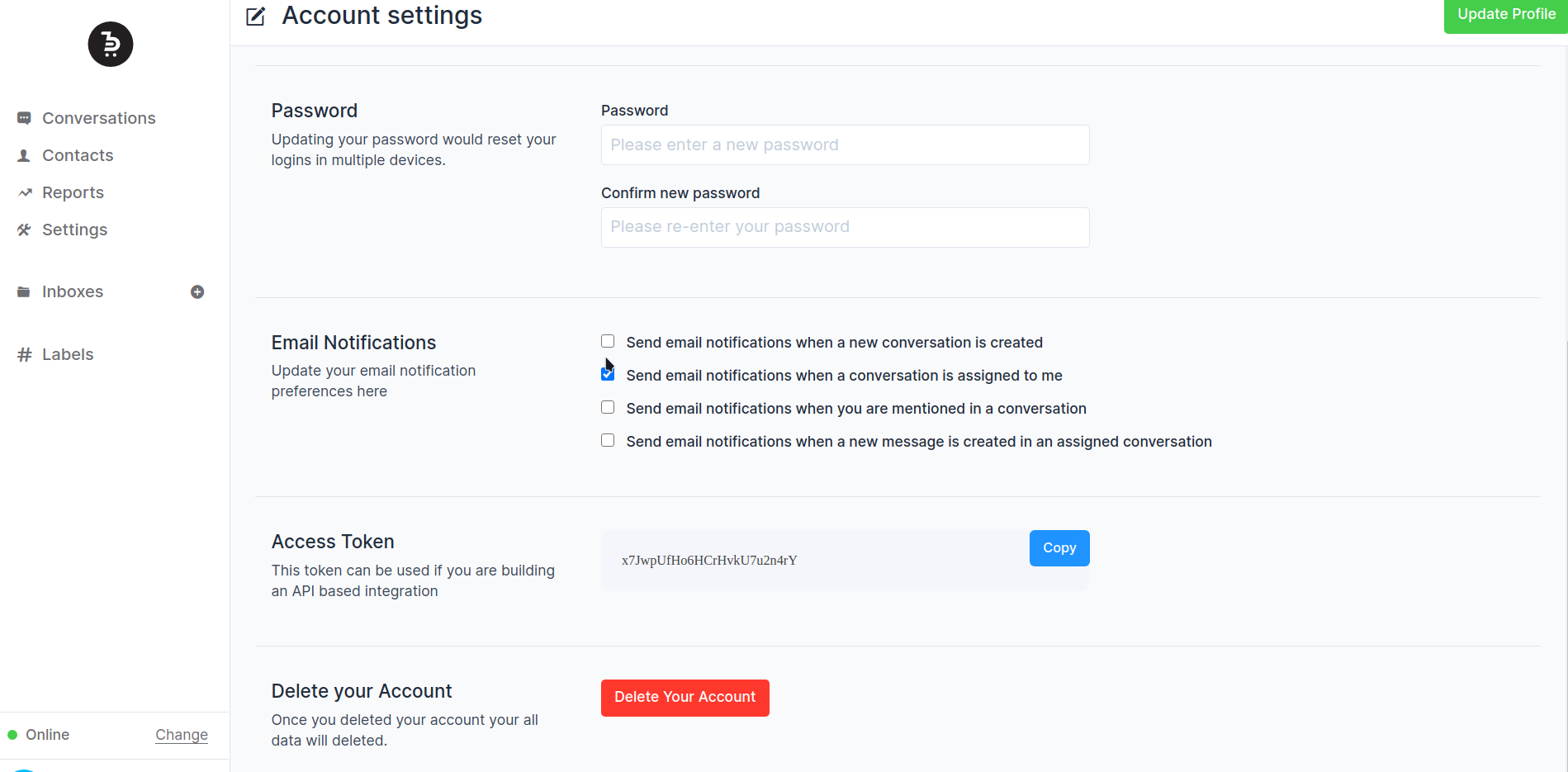
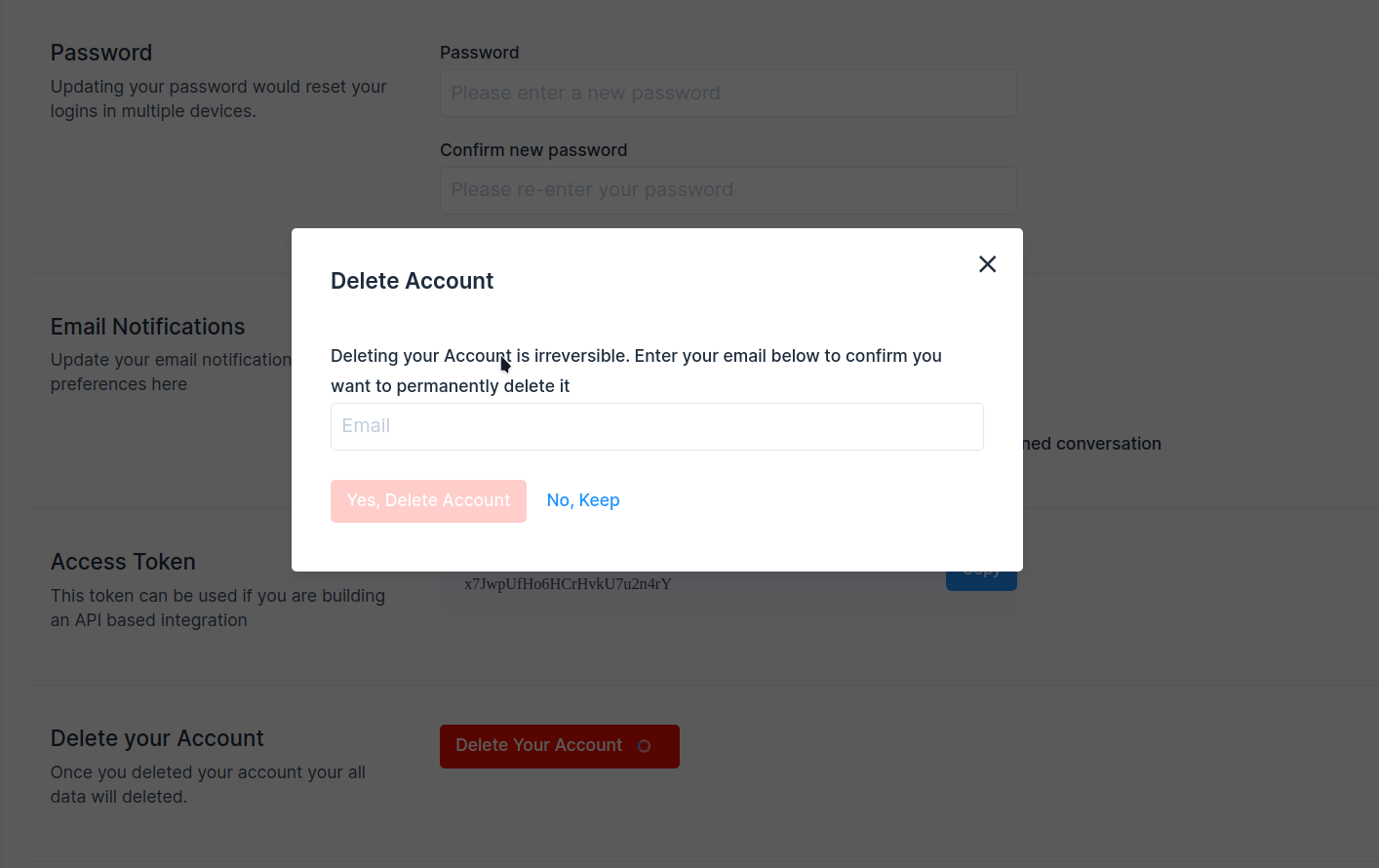
Add account delete option in the user account settings.
Fixes#1555
## Type of change
- [ ] New feature (non-breaking change which adds functionality)
## Checklist:
- [ ] My code follows the style guidelines of this project
- [ ] I have performed a self-review of my own code
- [ ] I have commented on my code, particularly in hard-to-understand
areas
- [ ] I have made corresponding changes to the documentation
- [ ] My changes generate no new warnings
- [ ] I have added tests that prove my fix is effective or that my
feature works
- [ ] New and existing unit tests pass locally with my changes
- [ ] Any dependent changes have been merged and published in downstream
modules
---------
Co-authored-by: Sojan Jose <sojan@pepalo.com>
Co-authored-by: Sojan Jose <sojan.official@gmail.com>
Co-authored-by: Muhsin Keloth <muhsinkeramam@gmail.com>
- We have observed some failures for data import jobs in the cloud due to race conditions with job executions and active storage file uploading. This PR adds delays and retries to accommodate that.
- Ensure existing contact information is updated on data import
- Refactor the existing job to make it more readable
- Fixes issues with import files in the wrong encoding
fixes: #7307
When we migrated the pubsub tokens from contact to contact inboxes, we missed out on doing this update for the typing indicator events. Hence the agent typing events weren't visible on the widget side. This change fixes that and removes the necessary column contact pubsub token from the model.

fixes: #4476


